
 Software
 Software
Software
Software
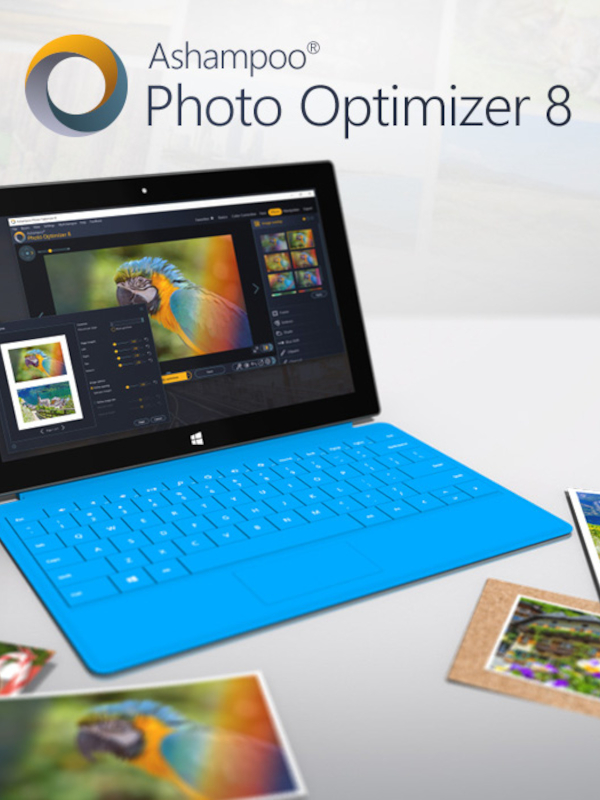
Ashampoo Photo Optimizer 8 Activation Key (2 PCs)
One-click photo enhancement software that automatically adjusts colors, contrasts, and exposure for stunning results.
- Platform: Other
- Region: REGION FREE
- Product type: Software
About Ashampoo Photo Optimizer 8
Ashampoo Photo Optimizer 8 is a powerful yet easy-to-use photo enhancement tool designed for both beginners and professionals. With its one-click optimization, you can instantly improve the quality of your photos by automatically adjusting colors, contrasts, and exposure settings. The software analyzes each image to detect and fix common issues like red eyes, skin blemishes, and stains, making your pictures look their best with minimal effort.
Beyond automatic enhancements, the software offers a range of manual editing tools. You can straighten slanted horizons, correct perspective distortions, and apply various creative effects to give your photos a unique look. The tonal curve adjustments and manual color temperature controls allow for fine-tuning, giving you full creative control over the final result.
The user interface is designed for efficiency, with a straightforward layout that saves time. The Favorites feature provides super-fast access to your most-used tools, streamlining your workflow. Whether you're editing a single image or an entire collection, the batch processing capability ensures consistent results across all your photos.
Performance improvements in version 8 include 64-bit optimization and enhanced memory management, resulting in better stability and speed. This means you can work with high-resolution images without slowdowns, making the software ideal for handling large photo libraries. The software is compatible with Windows and supports a wide range of image formats.
Ashampoo Photo Optimizer 8 is perfect for anyone looking to quickly enhance their photos without the complexity of professional editing software. It's an excellent choice for social media enthusiasts, amateur photographers, and anyone who wants to preserve and improve their digital memories with just a few clicks.
- One-click auto-optimization for colors, contrast, and exposure
- Manual tools: perspective correction, straighten horizons, effects
- Remove red eyes, skin blemishes, and stains
- Batch processing for entire photo collections
- 64-bit optimized for speed and stability
Specifications
PlatformOther
RegionREGION FREE
TypeSoftware
Deal pathExternal offer
Recommended next
View catalog →

Guides and reviews
All guides →
Read more before the next click
Deal paths
More ways to find the right pick
Use these clean catalog paths to jump into related platforms, product types, categories, and search-intent topics without losing the thread.
Platform hub
More Other picks
Explore picks →
Category hub
Browse Software deals
Explore picks →
Product type
More Software listings
Explore picks →
Topic
Ashampoo Photo Optimizer 8
Explore picks →
Topic
photo editing software
Explore picks →
Topic
image enhancement
Explore picks →
Topic
one-click photo fix
Explore picks →
Topic
batch photo editor
Explore picks →
Related paths
Keep moving through connected picks
Similar titles, platform matches, add-ons, and category neighbors pulled together automatically from the catalog.
 Same series
Ashampoo WinOptimizer 2026 Key (2 PCs)
Same series
Ashampoo WinOptimizer 2026 Key (2 PCs)
 Same series
Ashampoo WinOptimizer 26 Key (2 PCs)
Same series
Ashampoo WinOptimizer 26 Key (2 PCs)
 Other pick
inPixio Photo Studio 10 Ultimate Key (4 PCs)
Other pick
inPixio Photo Studio 10 Ultimate Key (4 PCs)
 Other pick
InPixio Photo Clip 7 Professional Key (4 PCs)
Other pick
InPixio Photo Clip 7 Professional Key (4 PCs)
 Other pick
FastStone Photo Resizer 4.3 PC CD Key (3 PCs)
Other pick
FastStone Photo Resizer 4.3 PC CD Key (3 PCs)
 Other pick
ACDSee Photo Studio Professional 2024 Key (1 Year / 1 PC)
Other pick
ACDSee Photo Studio Professional 2024 Key (1 Year / 1 PC)
Ashampoo Photo Optimizer 8 Activation Key (2 PCs) FAQ
What is an activation key and how do I use it?
An activation key is a unique code that unlocks the full version of Ashampoo Photo Optimizer 8. After purchase, you'll receive the key via email. Download the software from the official site, install it, and enter the key when prompted to activate your license for 2 PCs.
Can I use Ashampoo Photo Optimizer 8 on Mac?
No, Ashampoo Photo Optimizer 8 is designed for Windows only. It requires Windows 7, 8, 10, or 11. There is no Mac version available.
Does this software support batch processing?
Yes, Ashampoo Photo Optimizer 8 allows you to automatically optimize multiple photos at once. You can select an entire folder and apply the one-click enhancement to all images, saving time when working with large collections.