
 Software
 Software
Software
Software
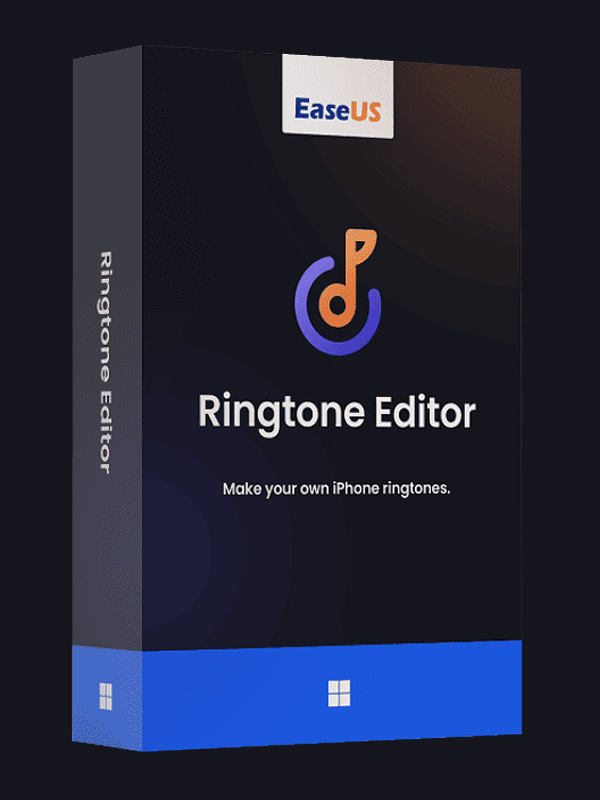
EaseUS Ringtone Editor CD Key
Turn any song, video, or online audio into a personalized iPhone ringtone with EaseUS Ringtone Editor.
- Platform: Other
- Region: REGION FREE
- Product type: Software
About EaseUS Ringtone Editor
EaseUS Ringtone Editor is a user-friendly software designed to help you create custom ringtones for your iPhone. Whether you're tired of default sounds or want to stand out with a unique tone, this tool lets you turn your favorite audio or video files into ringtones in just a few clicks. It's built for both beginners and experienced users, offering a straightforward interface that makes editing a breeze.
With EaseUS Ringtone Editor, you can use any song from your PC in formats like WAV, MP3, WMA, FLAC, AIF, OGG, AAC, M4A, or M4R. Simply import the file, select the segment you want, and export it as an iPhone-compatible ringtone. The software handles the technical details, so you don't need any prior editing experience.
Beyond local files, this ringtone maker also lets you convert YouTube videos into ringtones. If you find a catchy tune or a funny sound effect on YouTube, you can download the video (in formats like MP4, MOV, WMV, FLV, AVI, 3GP, WebM, or MKV) and extract the audio to create a ringtone. This feature expands your options for personalized sounds.
For those who enjoy streaming music, EaseUS Ringtone Editor supports creating ringtones from SoundCloud tracks as well. This means you can turn online audio into a ringtone without needing to download the file separately. The software makes it easy to capture the exact part of the track you want.
Please note that ringtones created with EaseUS Ringtone Editor are intended for personal use only. This ensures you respect copyright laws while enjoying your custom sounds. The software is available as a digital license, so you can download it immediately after purchase and start making ringtones right away.
Whether you're an iPhone user looking to personalize your device or someone who enjoys creative audio editing, EaseUS Ringtone Editor offers a simple and effective solution. Its compatibility with various audio and video formats, along with its intuitive design, makes it a valuable tool for anyone who wants to express their style through ringtones.
- Create custom iPhone ringtones from songs, videos, or online audio
- Supports WAV, MP3, WMA, FLAC, AIF, OGG, AAC, M4A, M4R, MP4, MOV, WMV, FLV, AVI, 3GP, WebM, MKV
- Convert YouTube videos and SoundCloud tracks into ringtones
- User-friendly interface suitable for beginners and experts
- Export ringtones in M4R format for iPhone
Specifications
PlatformOther
RegionREGION FREE
TypeSoftware
Deal pathExternal offer
Recommended next
View catalog →

Guides and reviews
All guides →
Read more before the next click
Deal paths
More ways to find the right pick
Use these clean catalog paths to jump into related platforms, product types, categories, and search-intent topics without losing the thread.
Platform hub
More Other picks
Explore picks →
Category hub
Browse Software deals
Explore picks →
Product type
More Software listings
Explore picks →
Topic
EaseUS Ringtone Editor
Explore picks →
Topic
ringtone maker
Explore picks →
Topic
iPhone ringtone
Explore picks →
Topic
custom ringtone
Explore picks →
Topic
create ringtone
Explore picks →
Related paths
Keep moving through connected picks
Similar titles, platform matches, add-ons, and category neighbors pulled together automatically from the catalog.

EaseUS Ringtone Editor CD Key FAQ
What file formats are supported for creating ringtones?
EaseUS Ringtone Editor supports audio formats like WAV, MP3, WMA, FLAC, AIF, OGG, AAC, M4A, and M4R. For video files, it supports MP4, MOV, WMV, FLV, AVI, 3GP, WebM, and MKV. You can use these to create ringtones for your iPhone.
Can I make a ringtone from a YouTube video?
Yes, you can. The software allows you to convert YouTube videos into ringtones. You'll need to have the video file downloaded (in a supported format) and then import it into the editor to extract the audio segment you want.
Is the ringtone editor easy to use for beginners?
Absolutely. The interface is designed to be intuitive, with simple controls for selecting the start and end points of your ringtone. You don't need any technical or editing experience to create a personalized ringtone.